Designer Resources Roundup: April 8, 2024
By Sofia Ramirez · Published · 4 min read
This archive entry collects the design resource guidance we published on April 8, 2024, focused on the small decisions that quietly shape a designer's output: how many fonts belong in a portfolio, what to spend on type licenses, and which file formats and templates to standardise on.
Each item below is written for working designers who need to make a call this week, not read a manifesto. You'll find typical cost ranges, time comparisons, and checklists you can apply to a live project.
Font Budgeting for 2026: What Designers Actually Spend
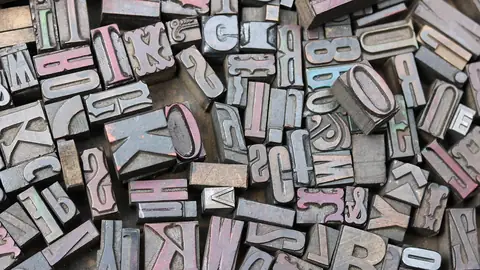
Type licensing is one of the few design costs that scales directly with ambition. A solo designer building a personal brand can usually cover a solid working library for $150–$600 per year by mixing a few premium families with high-quality open-source options. Studios serving multiple clients should expect $800–$2,500 annually, because client work often requires extended licenses or additional weights mid-project.
The trap is buying families you use once. Track font usage across three projects before renewing a subscription; most designers find 60–70% of licensed families go unused after the first month. If you are planning a 2026 refresh, our breakdown of how much to budget for design fonts in 2026 gives per-tier ranges and a simple renewal checklist.
Open-source type has closed much of the quality gap, but not all of it. Variable fonts from reputable foundries now cover most UI and editorial needs, and they reduce file weight. Reserve paid licenses for brand-critical work where exclusivity, extended character sets, or custom weights matter. A practical rule: if a client's logo or primary headline depends on it, license it properly; if it is body copy, start open-source.
- Solo designer: $150–$600/year for a mixed library
- Small studio: $800–$2,500/year including client licenses
- Audit usage every quarter; drop families unused for 90 days
- Prefer variable fonts to cut weight and license count
How Many Fonts Should a Design Portfolio Use?
Portfolio typography is a signal of judgment. Most hiring managers and art directors expect one display family and one text family, with a third only if it serves a clear functional role, such as a mono for code samples. Beyond three families, reviewers start noticing inconsistency rather than craft. The safest range for a generalist portfolio is two families across six to ten weights total.
The number matters less than the discipline. A two-family system with a clear scale (for example, 14/16/20/32/48px) reads as more considered than four families used ad hoc. If your work spans branding and product design, keep the portfolio chrome neutral and let project imagery carry the colour and type variety.
For a fuller checklist on auditing your portfolio's type system, see how many fonts a design portfolio should use. The short version: count families, not weights, and make sure every family has a documented job.
- Two families is the safe default for generalist portfolios
- Add a third only for a clear functional need (mono, accent)
- Document the role of each family in your style notes
- Keep portfolio chrome neutral; let project work show range
| Profile | Font licensing (annual) | Hardware (one-off) | Template/tool spend (annual) |
|---|---|---|---|
| Solo freelancer | $150–$600 | $1,200–$2,800 | $0–$150 |
| Small studio (2–5) | $800–$2,500 | $4,000–$10,000 | $200–$800 |
| In-house designer | Employer-covered | Employer-covered | $0–$300 |
| Student / early career | $0–$150 | $800–$1,600 | $0–$100 |
| Motion-leaning designer | $300–$900 | $2,000–$3,500 | $150–$500 |
CV Templates: Choosing One That Survives Screening
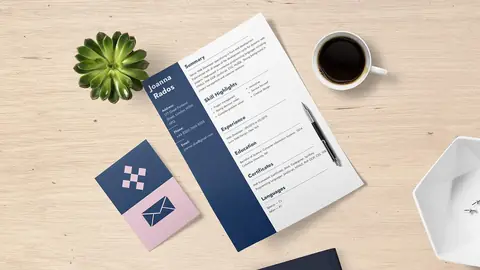
A CV template is a delivery mechanism, not a design statement. The templates that perform best in screening are single-column, use one typeface at two or three sizes, and keep contact details in plain text rather than text boxes or headers. Those choices matter because many applicant tracking systems flatten layouts before a human sees them.
When comparing free templates, check three things: whether the file is editable in a tool you already own, whether the layout holds at A4 and US Letter, and whether the text exports cleanly to PDF without reflow. Templates that require a paid subscription just to export are rarely worth it for a single job search.
If you are weighing tools, our comparison of InDesign vs. Canva for resume design covers time and cost trade-offs, and this guide to choosing a free CV template that gets interviews walks through the screening checks in order.
- Single-column layouts survive ATS parsing best
- Test export to PDF at both A4 and US Letter
- Avoid text boxes and headers for contact details
- Confirm the template edits in software you already own
Font File Formats: A Decision Table for Handoff
File format decisions cause more handoff friction than they should. For web, WOFF2 is the default: it compresses well and is supported across current browsers. For desktop design work, OTF and TTF both work, but OTF handles advanced OpenType features and large character sets more gracefully. Variable fonts are increasingly delivered as TTF or WOFF2 depending on target.
The practical rule is to match the format to the destination, not to the source file. Keep master licenses in OTF or TTF, export WOFF2 for web, and never send a client a web font file for print use. If a foundry offers only one format, check the license terms before converting.
Our explainer on font file formats OTF, TTF, WOFF, and WOFF2 covers the technical differences and when conversion is safe.
- WOFF2 for web delivery; OTF/TTF for desktop masters
- Variable fonts reduce file count but check browser support
- Never repurpose web fonts for print without license review
- Keep a single master format per licensed family
Hardware and Workspace: The Cost Question Behind the Tools
Every resource decision sits on top of a hardware decision. Designers replacing a machine in 2024 face a familiar split: a desktop plus a mid-range laptop often costs less than one high-spec laptop, but the laptop wins on flexibility. Typical ranges: a capable desktop workstation runs $1,200–$2,000 before a display, while a comparably powered laptop runs $1,800–$2,800.
The right answer depends on how often you work away from your desk and whether your heaviest tasks are GPU-bound (motion, 3D) or CPU-bound (large layout files). If most of your week is at a desk, put budget into the display and storage first; if you present or travel weekly, weight portability higher.
For a structured breakdown, see desktop vs. laptop for design work: five cost factors.
- Desktop workstation: $1,200–$2,000 before display
- Comparable laptop: $1,800–$2,800
- Prioritise display and storage if desk-based
- Prioritise portability if you present weekly
- Two type families with documented roles beat four families used casually in a portfolio.
- Audit font usage quarterly; most licensed families go unused within 90 days.
- Single-column CV templates survive screening better than designed layouts.
- Match file format to destination: WOFF2 for web, OTF/TTF for desktop masters.
Sofia curates and tests free design assets, from CV templates to icon sets, ensuring they meet quality and usability standards. With a background in visual communication, she provides honest assessments and time-saving tips. She believes the best resources are those that empower designers to work smarter.